Self-Rescue Guide
Self-Rescue Guide: What to do if your MyClaw instance gets stuck
Because OpenClaw is a powerful agent with deep system-level permissions, it occasionally performs complex operations that might lead to a system loop or a temporary freeze. If your instance stops responding, don’t worry—here is your quick Self-Rescue Guide to get back online in minutes.
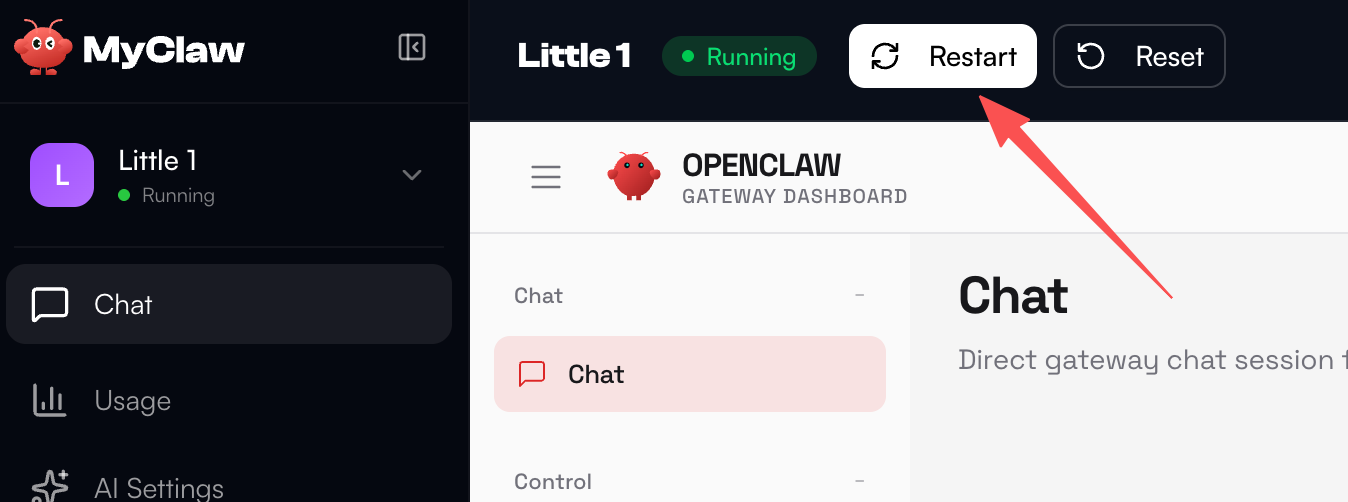
The Soft Restart
Go to your Dashboard sidebar, find the Server section, and click Restart. This solves most minor hanging issues.
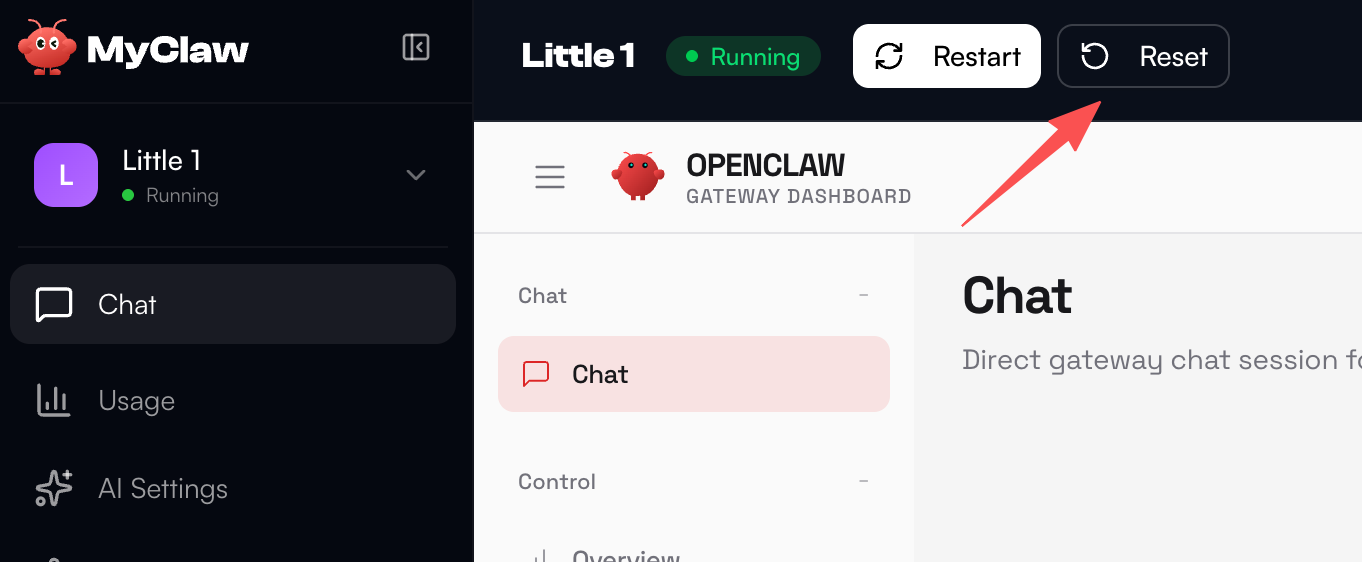
The Configuration Reset
If a restart doesn’t work, use the Reset button in the same Server section.
Note: Do not worry—your agent’s stored memory and conversation history are safe and will not be deleted during a reset.
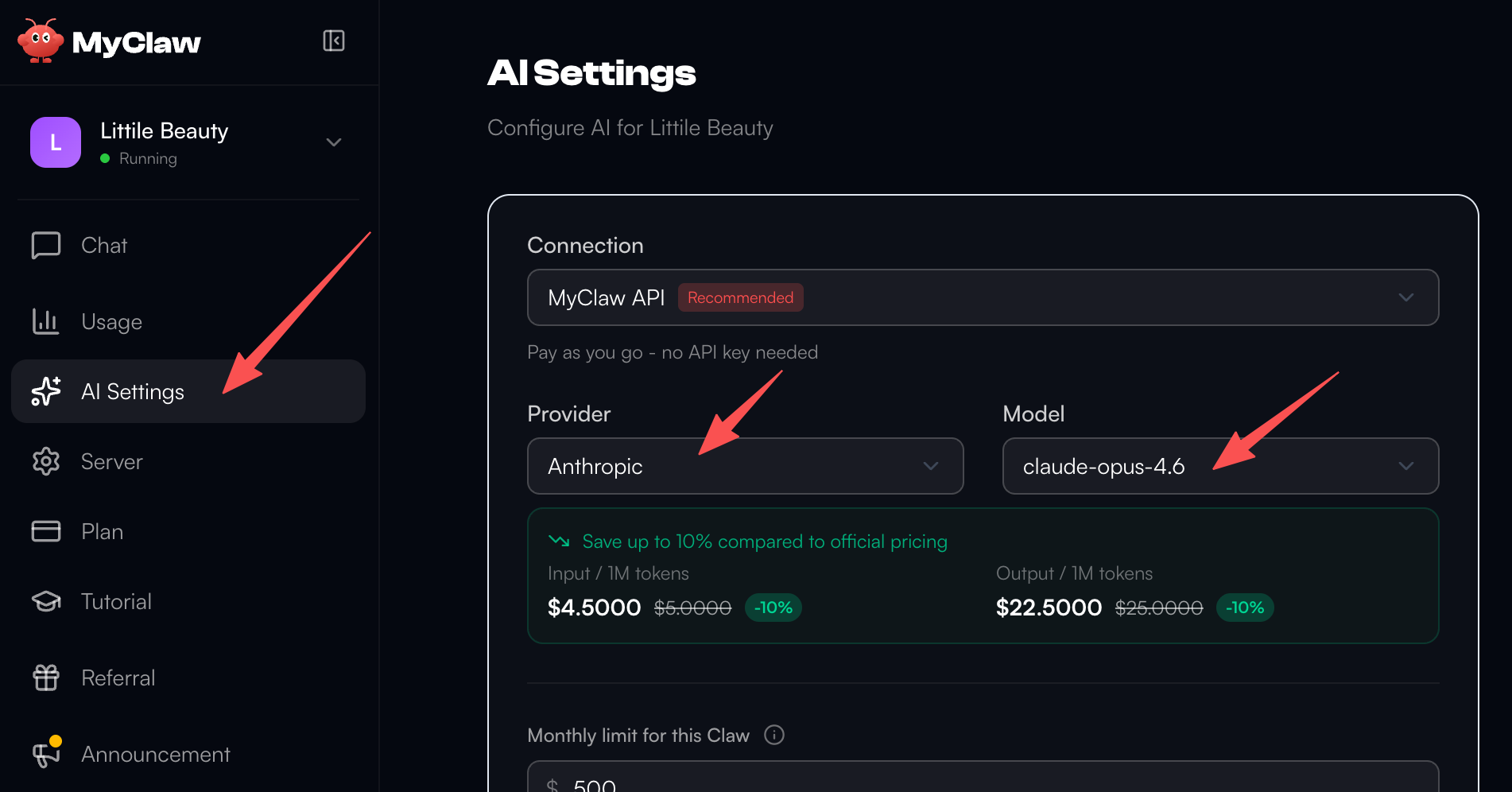
Bring in the "Doctor" (Opus 4.6)
Once the server is back up, go to AI Settings in the sidebar and switch your primary model to Opus 4.6.
Opus 4.6 is currently our most powerful model; it acts like a system expert that can diagnose and fix complex technical glitches that other models might struggle with.
Restore Your Settings
Send a message to your agent in the chat interface. Ask it to "Restore my Telegram connection and other custom settings." Opus 4.6 will quickly reconfigure your environment to your preferred state.

This "Reset + Opus 4.6" combination is the ultimate fix for almost any server-side issue. As always, if you need further assistance, our team is here to help!